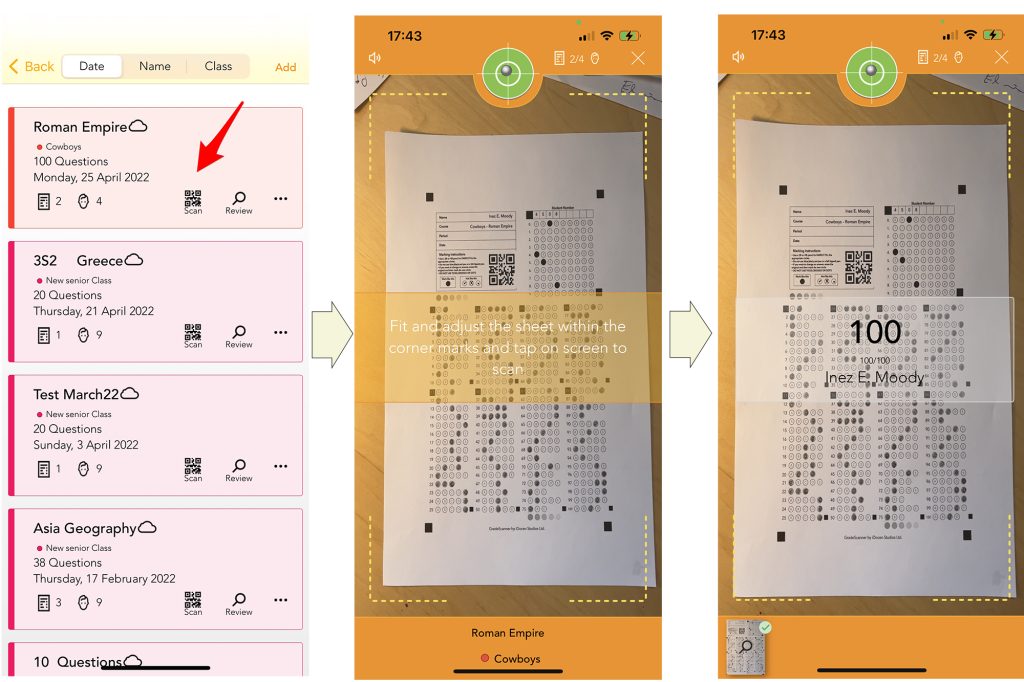
How to scan A5 bubble sheets
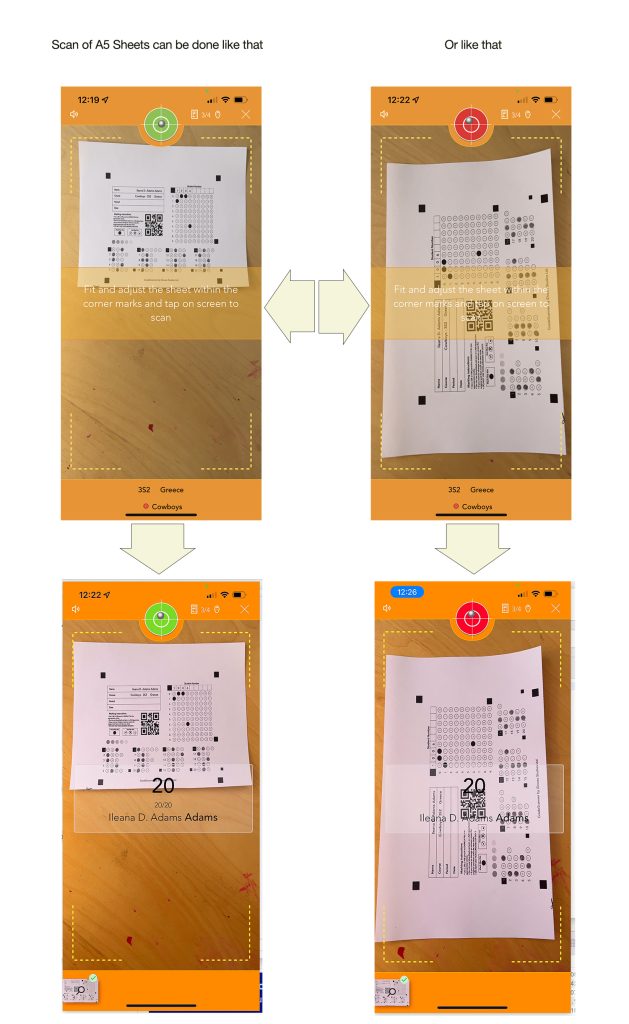
When scanning small sheets is mandatory to keep the whole sheet inside the scanning screen view.
When you are scanning multiple sheets, keep them well placed in a nice pile.
Check out the following video to see exactly how to do it fast and correctly.
Run the demo video
Do not manipulate the GradeScanner Sheets
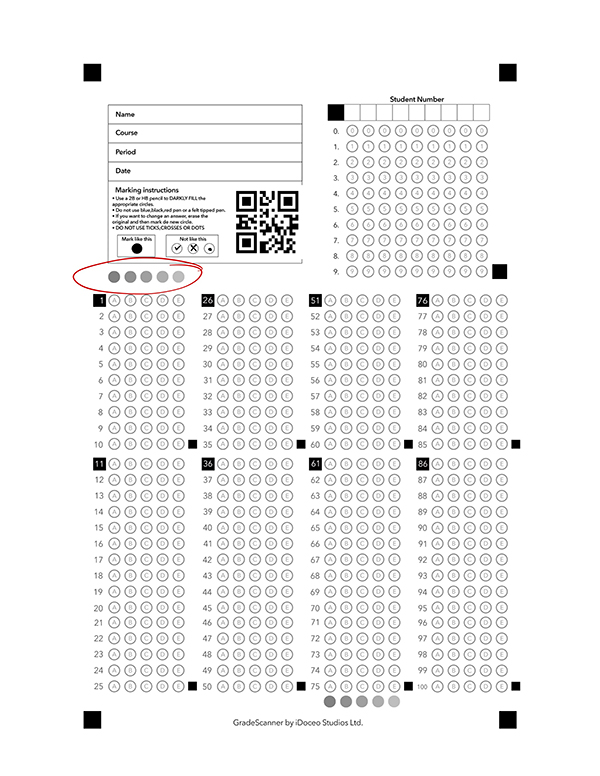
GradeScanner will give you acurate results when using the sheets directly printed from the app, with any nowadays printer.
If you have any doubt about the quality of your printed sheets, check that the 5 test bubbles have different gray tones.
If they are all black it will not scan properly.